Task paralysis with ADHD: why you can't start (and the 2-minute fix)
You know what to do, you even want to do it, and still nothing happens. Here's why task paralysis isn't laziness, and the small, gentle steps that make starting easier.
October 3, 2026 · 5 min read · By the Focus Planner team
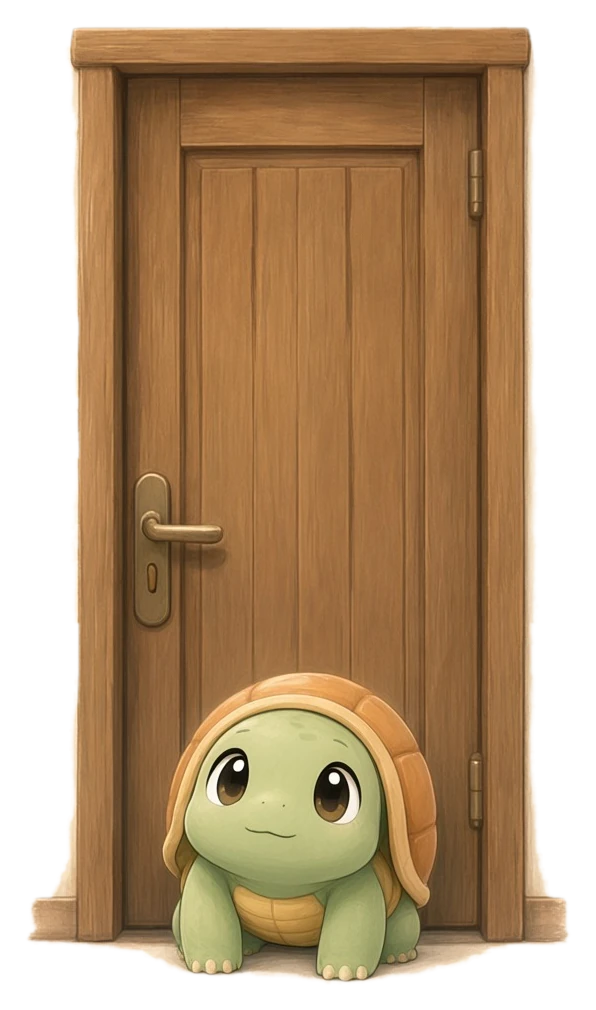
It's 9 a.m. You have a list. You know what's on it. Some of it is even urgent. And yet you're sitting there, scrolling, re-reading the same email, or just staring at the wall while the guilt slowly builds.
If that sounds familiar, you're not lazy. You might be dealing with task paralysis, and it's one of the most common things people with ADHD describe.
What task paralysis feels like
Task paralysis is that stuck feeling when you want to start but can't. It isn't a lack of caring. Often it's the opposite: you care so much, or the task feels so big, that your brain doesn't know where to begin.
It can look like:
- Opening your laptop, then closing it again
- Doing "easy" tasks all day to avoid the one that matters
- Feeling a wave of dread when you look at your to-do list
- Spending more energy worrying about a task than doing it would take

Why starting is so hard
There are a few reasons starting can feel impossible, especially with ADHD.
The task is too vague. "Do the report" isn't a step, it's a project. Your brain looks for the first move, can't find one, and gives up.
Everything feels urgent. When five things are important, choosing one feels like failing the other four. So you choose none.
The finish line feels far away. If you can only see the end ("a finished report"), the distance between here and there feels exhausting before you begin.
Past guilt piles up. Every time you didn't start, it got a little heavier. Now the task carries all those missed attempts with it.
None of these are character flaws. They're about how the task is shaped, and the good news is that you can change the shape.
What actually helps
1. Pick one thing (only one)
Not the most important thing. Not the perfect thing. Just one thing you're willing to touch today. Everything else can wait on the list where it's safe.
When everything feels urgent, nothing feels startable. Choosing one thing is how you get unstuck.
2. Make the first step tiny
Ask yourself: "If I only had two minutes, what would I do?"
- Not "write the report" but "open the doc and type the title"
- Not "clean the kitchen" but "put three dishes in the sink"
- Not "study for the exam" but "find the right chapter"
The step should feel almost silly. That's how you know it's small enough.
3. Use a short timer, with permission to stop
A 25-minute Pomodoro can feel like a lot when you're stuck. Try two or five minutes instead (why short timers work for ADHD). Tell yourself you can stop when it rings. Usually you won't want to, but even if you do, you started.
4. Lower the bar for "done"
"I worked on it for five minutes" is a complete win. You don't need to finish today. You need to make the task a little less scary for tomorrow.
How Focus Planner helps with task paralysis
We built Focus Planner around exactly this moment: staring at a task and not being able to start.
One task at a time. The Today screen keeps things short. You pick what you're working on, and the rest stays quietly out of the way.
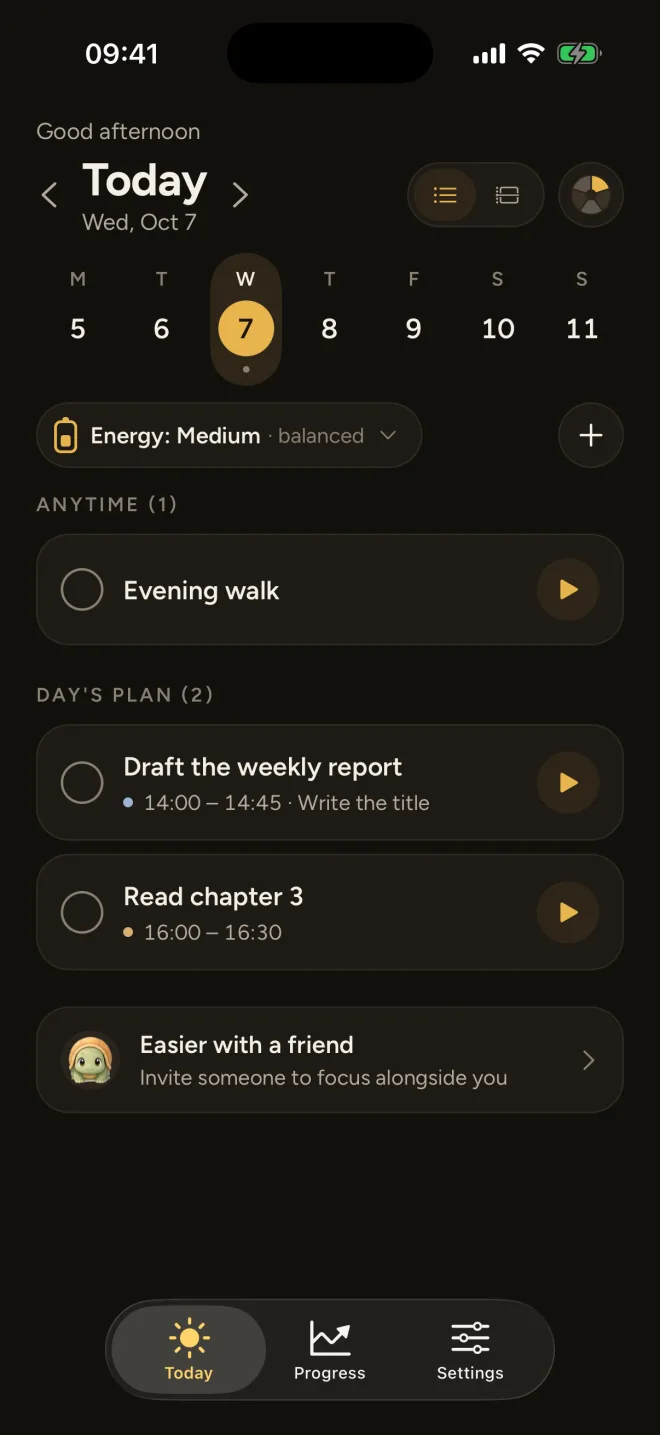
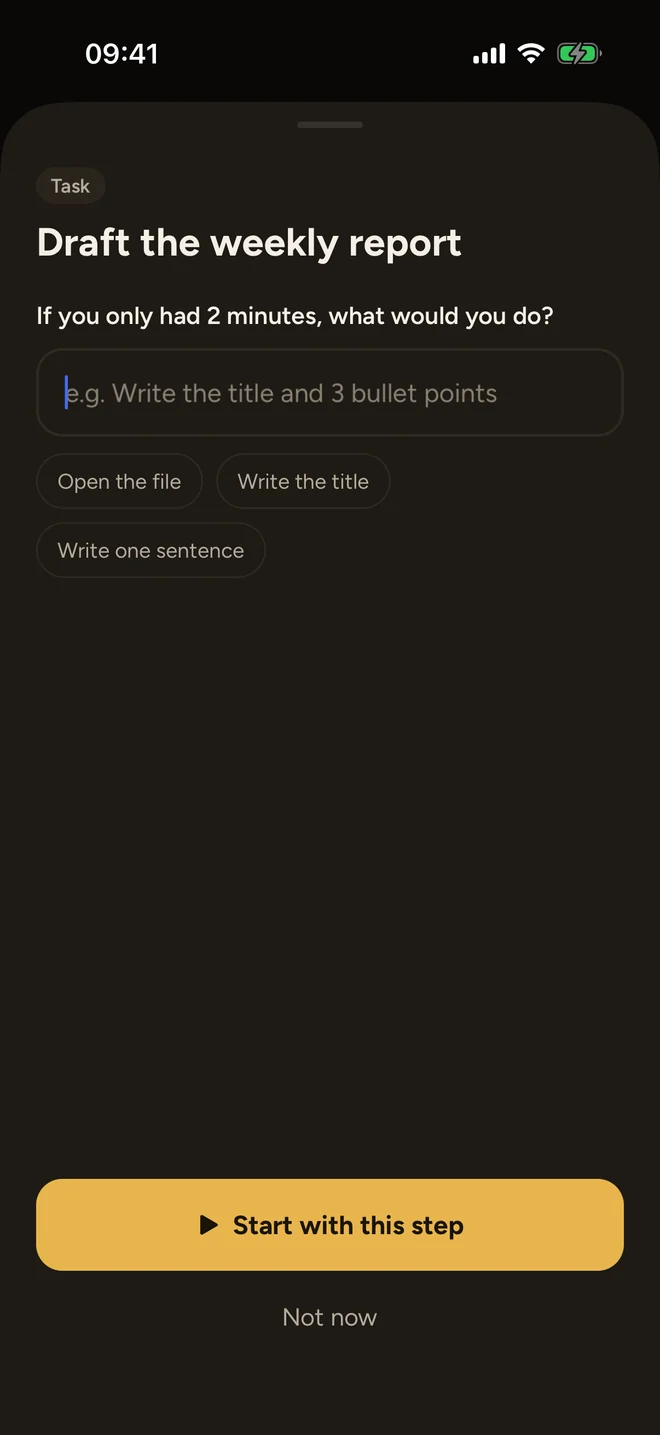
A first tiny step for every task. Open any task and write down its first small step: "Open the doc." "Write the title." That step is what you see when you start focusing, so it's the only thing you need to do next.
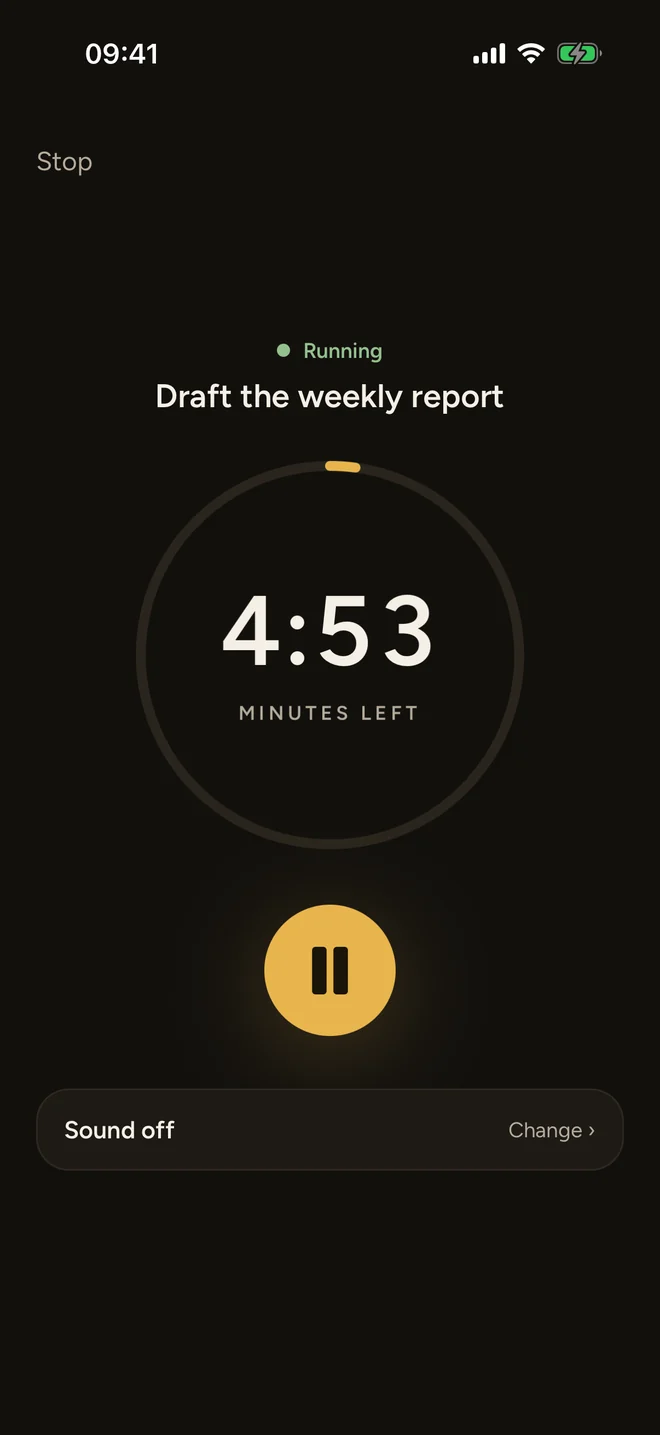
Short timers. Pick 5, 10, 20 or 30 minutes, or set your own length, even just two minutes. Short is completely normal here, and the countdown stays visible on your iPhone lock screen so you don't lose track.
No guilt mechanics. There are no overdue alarms and no shame. If you only did two minutes today, the app counts that as showing up, because it is.
A gentle reminder
Task paralysis can feel lonely, but it's incredibly common. If you're stuck right now, try this: pick the smallest possible step, set a two-minute timer, and see what happens. If you stop after two minutes, that's still a start, and starting is the hardest part.
Frequently asked questions
Is task paralysis the same as procrastination?
They can look the same from the outside, but they feel different. Procrastination is often choosing something else. Task paralysis feels like being stuck: you want to start, you may even be stressed about not starting, but your brain can't find the way in.
Is task paralysis an ADHD thing?
Anyone can freeze in front of a big task, but many people with ADHD describe it as a regular part of their day. It's often linked to executive function: planning, prioritising and switching into a task.
What is the 2-minute rule for ADHD?
Ask yourself: if I only had two minutes, what would I do? Then do just that. The goal isn't to finish; it's to get past the start, which is usually the hardest part.
What if I start and then stop again?
That still counts. Starting for two minutes is a win on its own. If you stop, you can pick the next tiny step later, without having to restart the whole task in your head.
This article is general information, not medical advice. If ADHD is affecting your life, talking to a qualified professional can help.